
Community Guide Uses Unreal and Generative 3D to Plan More Consistent Game Videos
A community-authored Unreal guide describes combining deliberate 3D staging, generative assets and sequenced shots for predictable promotional video production. The lesson is most relevant to game trailers and previsualization, not gameplay runtime.

A community guide published on November 11 takes a production-oriented look at combining Unreal Engine with generative 3D and video tools. Rather than promising to create an entire game automatically, the author addresses a narrower problem: keeping scene layout and camera direction consistent when preparing a sequence of shots. The resource is an independent tutorial hosted on Epic's community platform, not an official Unreal feature announcement.
The author describes an approach in which staging decisions are made in a 3D environment before later image or video generation. Unreal can be used to block out a space, establish proportions and set up camera paths. Generated three-dimensional props can then be placed with a clearer understanding of perspective and composition. This reduces reliance on repeated text prompts to describe spatial relationships that a director could instead define explicitly inside a scene.
A repeatable camera route can be valuable for game trailers, cinematic prototypes and pitch materials. When a building, prop or character is moved in the 3D blockout, the sequence can be reevaluated from the same viewpoints. That gives artists a concrete reference for lighting and framing. External services mentioned in the guide, including generative 3D and video tools, remain separate products with their own output quality, terms and limitations. The tutorial does not demonstrate that every generated result will remain perfectly consistent across shots.
It is also important to distinguish this pipeline from game runtime asset creation. Video-generation results are not inherently interactive models. A visually persuasive preview may contain geometry that is unsuitable for collision, animation or performance targets. Even generated 3D assets should be inspected for topology, scale, UVs and the intended licensing conditions before they enter an Unreal or Unity build.
A small studio could test the method by staging a fifteen-second scene with three locked camera positions and one generated environmental prop. The useful comparison would be between iterations made with a reproducible Unreal blockout and iterations prompted without a defined scene. Evaluate continuity, camera matching and the amount of manual correction. That provides evidence about whether the workflow helps produce a particular trailer, without confusing a community technique with a new engine capability.
Rate this story
What did you think of this article?
Log in to rate this story, comment and like replies.
Log inNo comments yet. Be the first to share your thoughts.
More stories
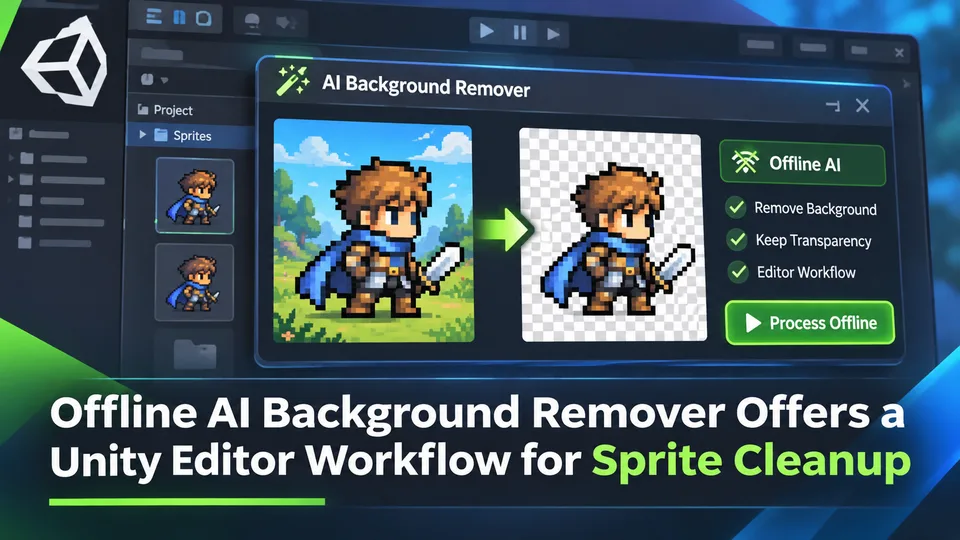
Offline AI Background Remover Offers a Unity Editor Workflow for Sprite Cleanup
A third-party Unity developer introduced an offline AI background remover for preparing transparent sprite images in the editor. It is a local content-authoring tool, not a runtime background-removal feature built into Unity.

Scenario Refreshes AI 3D Workflow Guide with Tripo and Meshy Options
Scenario updated its 3D-generation guidance on November 10, describing choices for image-to-3D, rigging and mesh processing across tools including Tripo and Meshy. The change concerns documentation, not a newly launched 3D model.

Niagara Musical Aura Tutorial Explores Rings, Sparks and Mesh Deformation
A November 12 Unreal community lesson shows a stylized musical aura built with a deformed ring mesh, animated materials and Niagara particles. Its value lies in compositing familiar effects techniques rather than a new audio-reactive engine feature.
Comments