
Unity CLI Beta 16 Adds Editor Dialog Control and Object-Level Scene Diffs
Unity CLI 1.0.0-beta.16 gives automation tools better visibility into blocked Editor dialogs and detailed scene changes. It also supports building through an open Editor and updating Unity-specific skills for coding agents.
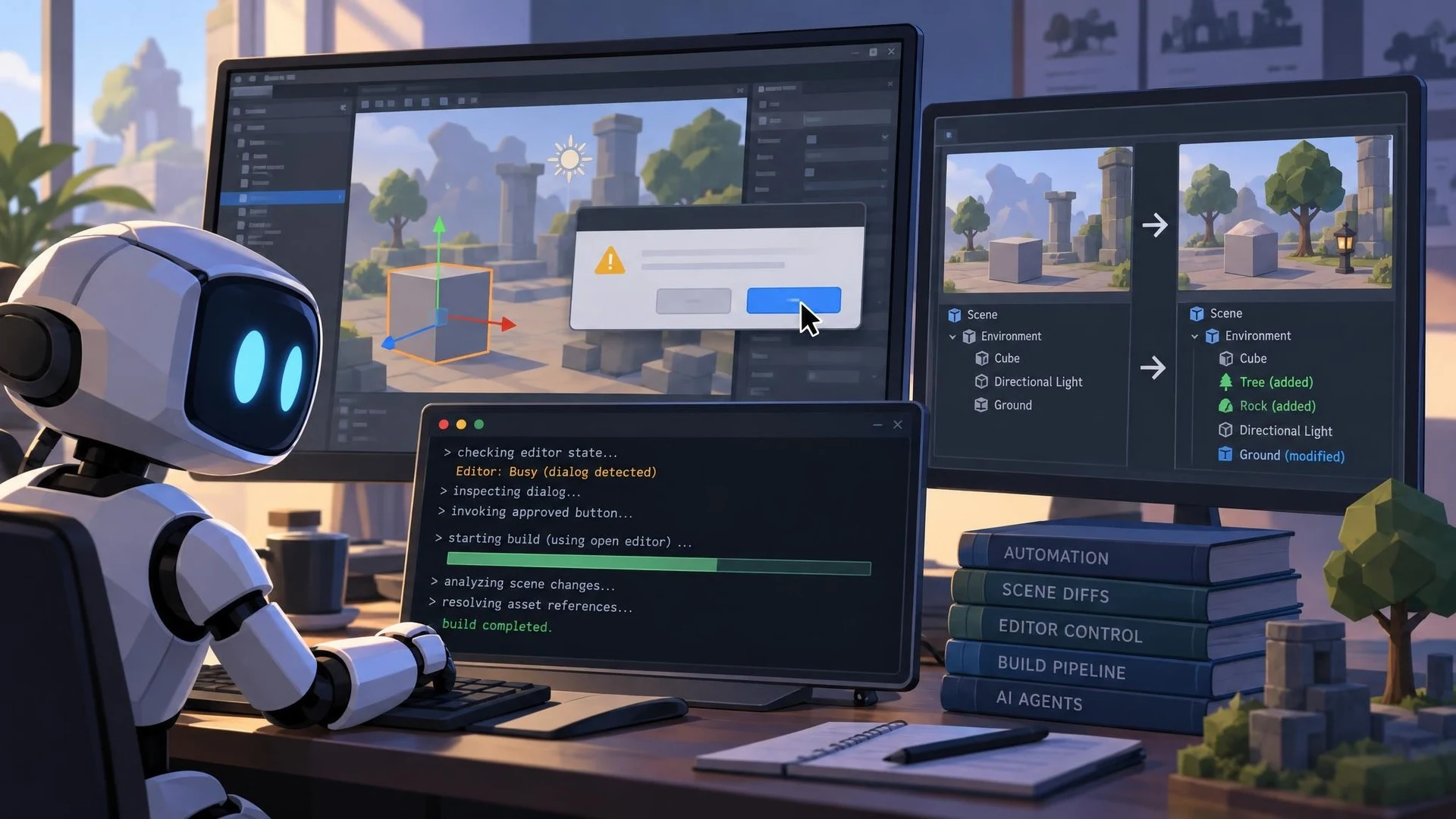
Unity has released Unity CLI 1.0.0-beta.16, a new beta designed to reduce friction between command-line automation and the graphical Unity Editor. Announced on November 3, 2026, the update addresses problems that appear when a coding agent tries to operate a project while the Editor is busy, a dialog blocks progress or a scene has changed in a way ordinary text diffs cannot explain.
One of the most useful additions is modal dialog handling. The CLI can inspect a dialog waiting for an answer and invoke one of its available buttons, provided the installed Editor version supports the relevant communication. Another command reports the Editor's current phase, including loading a project or entering Safe Mode. This gives automation a better explanation than simply timing out when a task appears stuck.
A second improvement concerns build operations. Unity says the CLI can initiate a build through a compatible Editor that already has the project open. Previously, that situation could cause a refusal rather than reuse of the running process. Timeout and interruption controls are designed to stop waiting without necessarily shutting down the Editor or cancelling its underlying build.
The release also adds object-aware version-control summaries. Rather than reporting only that a scene or prefab file changed, an object-level summary can identify changes within scene and asset structures. Reference GUIDs can be resolved to their corresponding assets. This is especially relevant to reviewing work performed by AI agents, because a seemingly small scene edit may alter important references.
Unity's skill-management commands have expanded as well. Developers can synchronize Unity guidance for a particular coding client, install supported skills across detected agents and keep local customizations. The release notes describe integrations for several clients, but installation and actual Editor control are separate requirements.
There are compatibility changes that existing scripts must consider. The CLI reports new exit codes for a busy Editor and blocking dialogs, and some JSON result shapes differ from earlier betas. Unity also changes when MCP is automatically configured, so teams should not assume a prior setup process still applies.
A safe test would use a small project with one prefab, a deliberately opened confirmation dialog and a known build target. Ask an agent to inspect the blocked state, respond only to an approved dialog, summarize the prefab changes and start a build. Review all resulting edits manually.
This remains beta software. Pin the version in automation and keep a reliable fallback for production builds. Its significance is improved observability and control, not a promise that AI agents can safely make unlimited changes to any Unity project.
Rate this story
What did you think of this article?
Log in to rate this story, comment and like replies.
Log inNo comments yet. Be the first to share your thoughts.
More stories
Fortnite Ecosystem 43.00 Brings PCG and New MCP Tools to UEFN
Epic has released Fortnite Ecosystem 43.00 with editor-time PCG, new UEFN MCP capabilities and a production-ready quest Progression API. The changes apply to the Fortnite creator environment, not automatically to conventional Unreal Engine projects.

Epic Previews Cesium, Mesh Terrain and Unreal MCP Demos for I/ITSEC 2026
Epic Games has outlined its Unreal Engine 5.8 simulation showcase for I/ITSEC in Orlando. The announced demonstrations cover geospatial visualization, experimental Mesh Terrain, procedural worlds and AI assistants connected through Unreal MCP.
OpenAI Announces Pierre Acquisition to Expand Codex Git Workflows
OpenAI plans to acquire Pierre Computer Company, whose open-source file-tree and code-diff libraries already appear in Codex. The announcement focuses on future developer workflows and is not yet a newly shipped game-engine integration.
Comments