
New UE5.8 PCG Forest Tutorial Explains Terrain-Aware Tree Placement
A newly published Epic Developer Community tutorial demonstrates how to build a forest in Unreal Engine 5.8 with PCG graphs, slope and height filtering, clearings, and weighted mesh spawning.
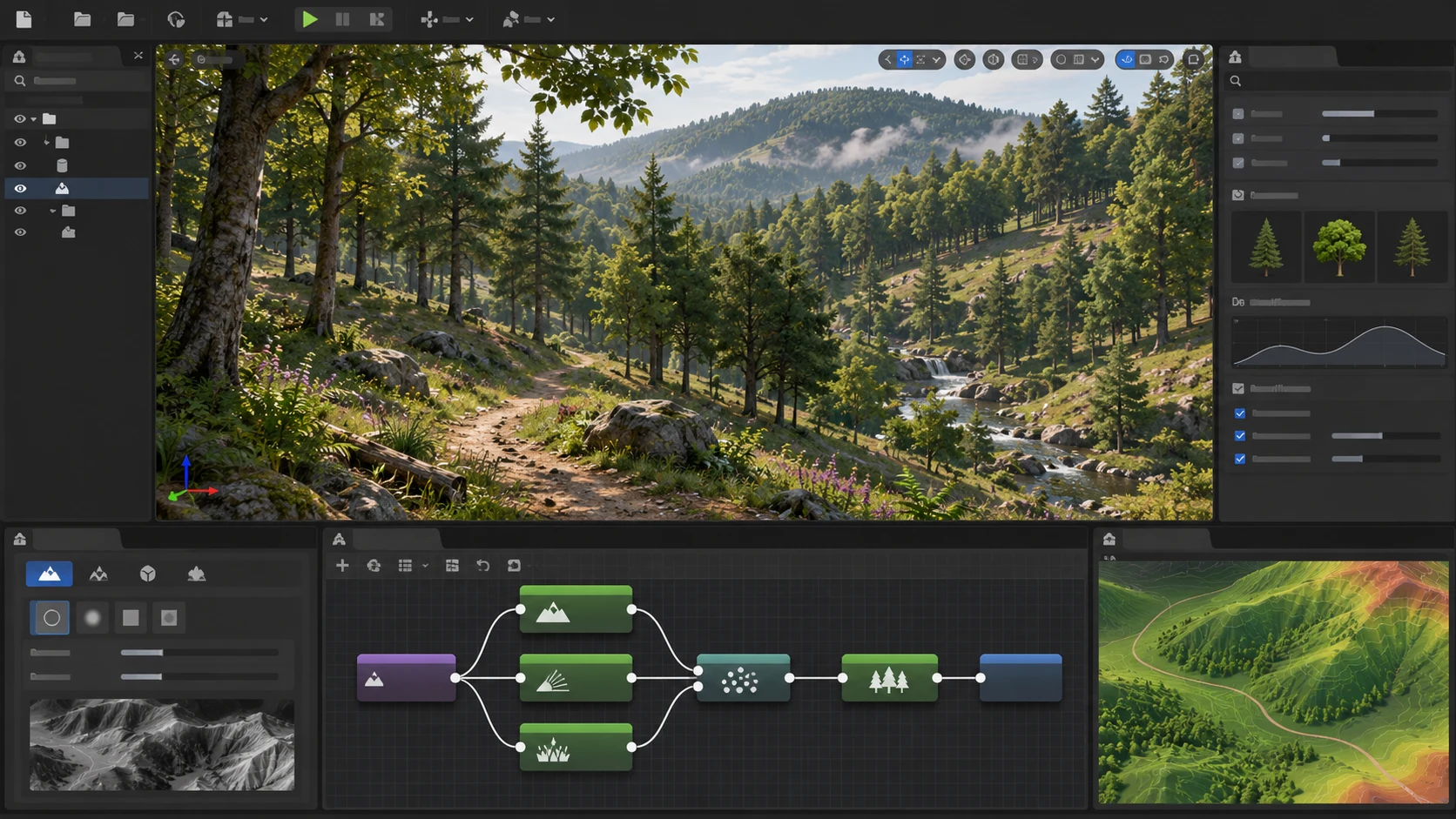
A new tutorial published through the Epic Developer Community on November 7 walks creators through procedural forest construction in Unreal Engine 5.8. Its subject is not a newly released engine feature: Procedural Content Generation, or PCG, already exists in Unreal. The timely addition is a practical workflow that connects several tools into a reusable method for populating a landscape.
The tutorial starts with a landscape and the PCG framework, then introduces a PCG Graph and PCG Volume. Landscape data is sampled into points, which become candidates for vegetation. That distinction matters for large levels: rather than manually positioning every tree, designers can describe where vegetation is allowed to appear and let the graph generate placements.
The lesson then addresses one of the most common weaknesses of basic procedural scattering. An even distribution across a level can put trees on steep rock faces, across paths, or in other unsuitable locations. The demonstrated graph uses slope and elevation filters to constrain placements. Spatial noise can create irregular clearings, while point transformations vary the final arrangement. Bounds adjustments and self-pruning help limit collisions between generated objects, and a weighted Static Mesh Spawner allows different tree meshes to share the forest.
These steps are especially relevant to open-world prototypes and environments that must be revised repeatedly. A change in terrain shape need not require an artist to replace hundreds of individual instances by hand. However, procedural placement is not an automatic performance solution. Vegetation density, material complexity, shadows, collision, streaming and rendering settings still determine whether a generated forest runs acceptably.
A useful developer experiment would be to build a small landscape with a hillside, road and stream. Create two PCG variants: one using unrestricted scattering and another using the tutorial's filters and pruning. Compare visual placement and generated instance counts before measuring frame times in a packaged build. This would reveal the value of the rules without assuming an untested speed improvement. The tutorial is community learning content hosted by Epic, not a new Epic engine release.
Rate this story
What did you think of this article?
Log in to rate this story, comment and like replies.
Log inNo comments yet. Be the first to share your thoughts.
More stories

Unity Pipeline 1.0.0-pre.1 Adds CLI Profiler Analysis and Scene Previews
Unity promoted a prerelease of its Pipeline package with saved Profiler analysis, scene-preview archives and clearer command effects. This is an official pre-1.0 tool update with compatibility changes.

Niagara Fire Tutorial Explores Blackbody Shading and Curl Noise
A newly published community lesson builds a stylized Unreal Engine fire effect from material nodes and Niagara particles. It explains familiar techniques rather than introducing new UE5.8 functionality.

New Community Walkthrough Covers Avatar Image Optimization for Unreal Services
A recent Unreal community tutorial demonstrates resampling avatar images, converting textures to WebP and moving files through Blueprint-backed cloud workflows. It is a third-party tutorial, not an Epic engine feature.
Comments