
ComfyUI Manager Lists MiniMax H3 Temporal Window and Spatial Tile Nodes
A November 8 ComfyUI Manager merge registers a third-party MiniMax H3 extension for overlapping video windows and spatial tiles, aimed at longer or higher-resolution video workflows.
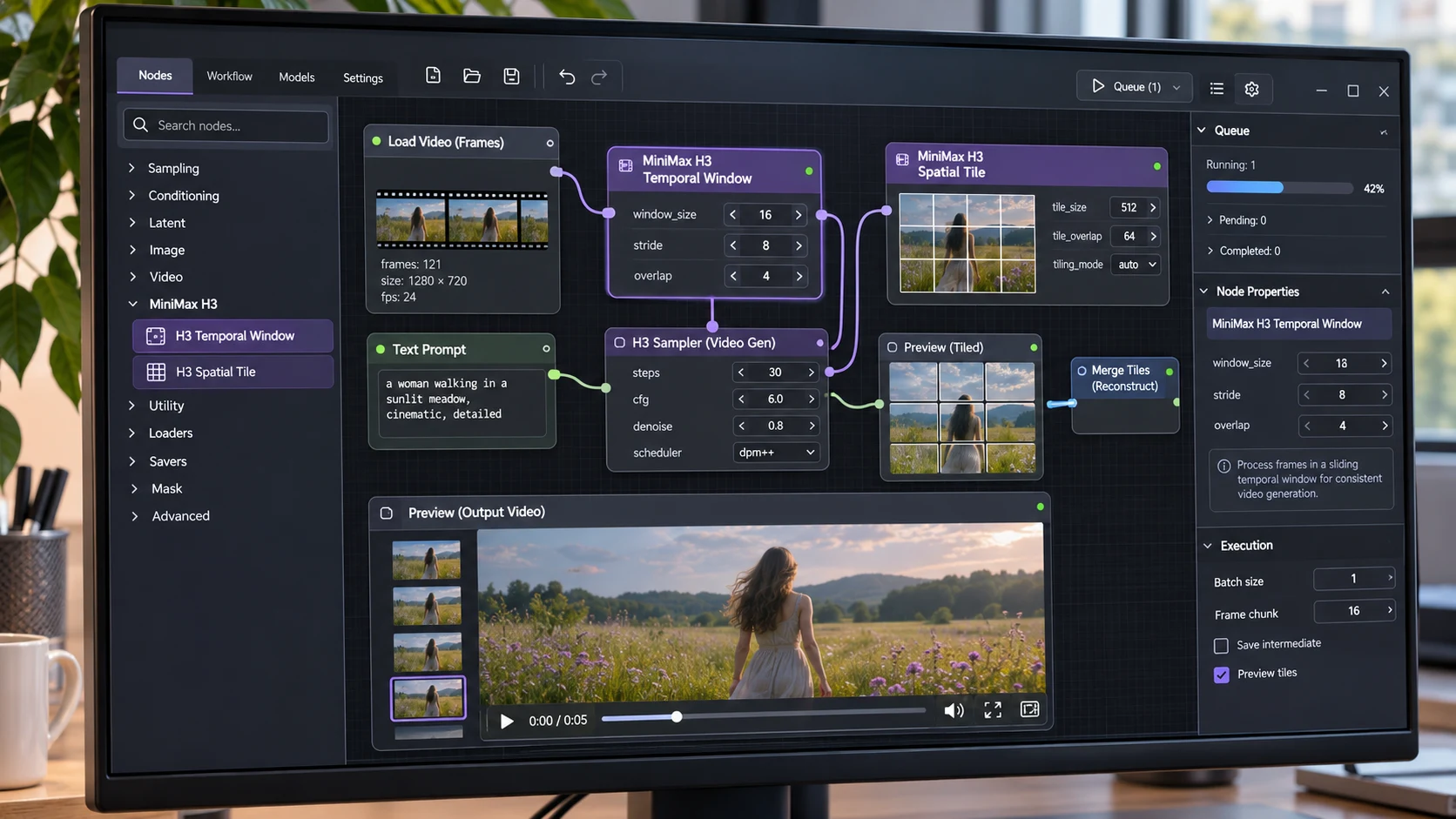
ComfyUI Manager's custom-node catalog added a listing for MiniMax H3 Temporal Window & Spatial Tiles in a pull request merged on November 8. The extension comes from an independent developer and is designed for working with MiniMax H3 in native ComfyUI workflows. The registry change is not a new base-model release, nor does it guarantee that the node is already installed in any particular workspace.
The project's documentation describes two related techniques. Temporal windows split a longer video operation into overlapping segments so successive portions can continue from earlier output. Spatial tiling divides a large frame into overlapping regions, allowing each tile to use the corresponding area of a reference video. The developer states that these approaches can be used in different denoising stages, with options for processing a full-resolution reference plate.
The repository also describes a long-generation node for video creation without a reference clip, using a prompt timeline to guide changes through a shot. These are workflow mechanisms around existing generation operations, not independent evidence that longer output is always temporally consistent. Window overlap, reference alignment and prompt timing can all influence the result.
For game developers, a potential use is creating a cinematic mood board or extending a short concept shot before deciding which scenes to recreate in a real-time engine. An artist could test a slow camera movement through an industrial corridor or a forest clearing, then compare continuity at window boundaries. This is an asset-development or promotional workflow; the generated video is not automatically a playable Unreal Engine or Unity environment.
A structured test would use a short source clip with a clearly moving object near the edge of frame. Process it first as one segment, then with temporal windows, and finally with tiles at a higher output resolution. Compare transitions, changing textures and repeated details rather than judging only one attractive still frame. Also record memory use and processing time on the machine actually available.
The developer documentation lists a dependency on native MiniMax H3 support in ComfyUI and gives version and wiring instructions. Teams should verify their local installation, model license, hardware constraints and any required downloads before beginning. November 8 marks inclusion in the Manager catalog, not universal production readiness.
Rate this story
What did you think of this article?
Log in to rate this story, comment and like replies.
Log inNo comments yet. Be the first to share your thoughts.
More stories
Claude Code Adds Background MCP Tasks and Tighter Agent Permission Controls
Anthropic’s Claude Code 2.1.319 introduced asynchronous MCP tasks and new permission controls. These features may help game developers manage long-running Unreal or Unity tool operations without blocking every agent step.
Codex CLI 0.167.2 Changes Incremental Tool Updates on Vertex AI
OpenAI released Codex CLI 0.167.2 with incremental tool updates enabled by default for Google Cloud Vertex AI. The change is relevant to teams using that backend, but it is not a general Unreal or Unity agent feature.
ElevenLabs Previews Interaction Engine for More Natural Voice Agent Timing
At its New York summit, ElevenLabs previewed an Interaction Engine that manages turn-taking, interruptions and model selection in conversations. Real-time game NPC use remains a proposed application, not a shipped game integration.
Comments